
Beer Study Games
Studying beer involves remembering a lot of information. These games turn some of that memorization into retrieval practice—because testing what you know is a lot more useful than rereading it.
Beer Style Region Match - Sort beer styles according to the region where they're from. Choose your Cicerone study level or tackle all 101 styles at once.
Ale or Lager? - Classify each beer style as an ale or a lager. Choose your Cicerone study level or tackle all 101 styles at once.
Beer Stats Challenge - Practice recalling the ABV, IBU, and SRM ranges for beer styles. Choose your study level and challenge yourself with one stat or a mix of all three.
Hop Region Match - Match widely used brewing hops to their countries of origin in 10-question rounds.
Region Match Game
Ale vs Lager Game
Beer Stats Challenge
Practice recalling the ABV, IBU, and SRM ranges for beer styles at your study level.
Close counts. Answers within the accepted tolerance count as correct. After each answer, you'll see the reference range so you know the numbers to study.
Round Complete
Review These Ranges
Hop Region Match
Match each hop variety to its country of origin. Each round includes 10 randomly selected hops from a mix of brewing regions.
Round Complete
Review These Hops
Ready to Take Your Beer Study Offline?
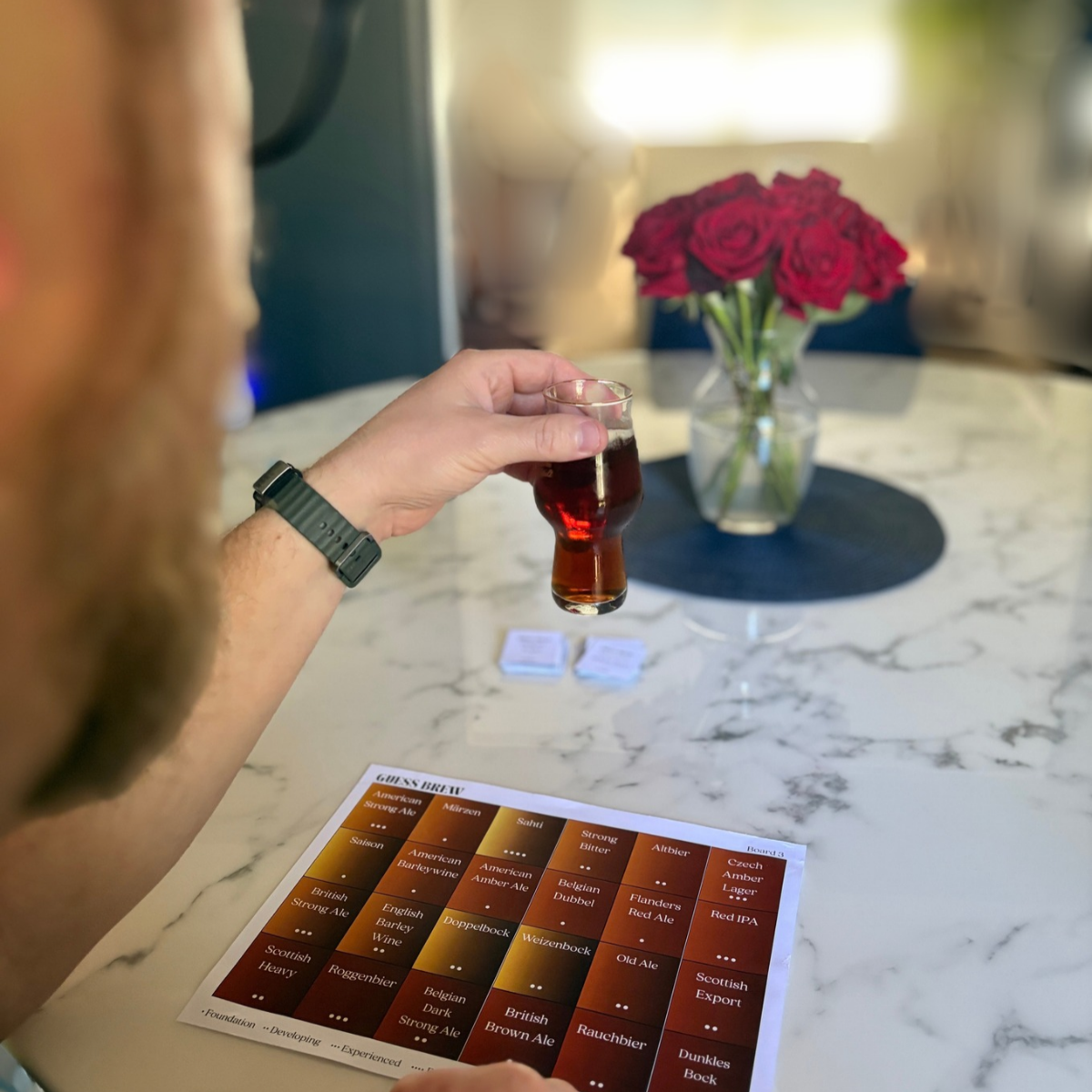
Meet Guess Brew.
Turn blind tasting into a process you can see.
Guess Brew is a printable beer study and blind tasting game with 96 beer styles across four game boards. Use it with a blind beer to practice observation, elimination, and sensory reasoning—or play Study Mode to practice beer styles without opening a beer at all.
$14.99 • Instant digital download
Created from the study method I used while preparing for the Master Cicerone exam.
Enjoying the games?
I make these study games free because I want useful beer education to be accessible to everyone. If they've helped you study, teach, or just have fun learning about beer, you can toss a few bucks in the virtual tip jar to help me keep making more.
Using These Games to Study for a Cicerone Exam
The good news is that if you’re studying for a Cicerone exam, each level builds on the previous level. That means that, for each level you progress within the program, you only have to learn a handful of new styles each time. Here are the number of possible styles you can expect to be tested on for each Cicerone level (excluding the styles found in the Emerging Styles portion of the syllabus):
Certified Beer Server: 40 beer styles
Certified Cicerone: 71 beer styles (+31 new styles)
Advanced Cicerone: 95 beer styles (+24 new styles)
Master Cicerone: 101 beer styles (+6 new styles)
The biggest lifts start with Certified Beer Server, then between Certified Beer Server and Certified Cicerone, and then between Certified Cicerone and Advanced Cicerone. Knowing all of these beer styles in and out is still no easy feat, but imagine how much easier it is when you have a good grasp of all the cumulative styles. Learn them as best as you can for Certified Beer Server and Certified Cicerone, and then you’ve only got 30 more styles to learn for Master. That jump is not as big as it seems right now.
Being able to sort and reorganize beer styles according to different criteria makes all of that information much easier to retrieve when you need it.
A note about regions: Styles listed in the “Other Regions” subsection of each level's syllabus are classified as “Other” rather than by their individual country of origin. For example, International Pale Lager and Australian Sparkling Ale are both correctly categorized as “Other.”